Scan to PDF
Capture pages with the camera.
Android · free, ad supported
Scan, edit, merge, convert, compress and password-protect PDFs. All of it runs on the device, so nothing you open is uploaded.
PDF Wallah is not on Google Play yet. This page is the honest placeholder until it is, and the button above will start working the moment it goes live.
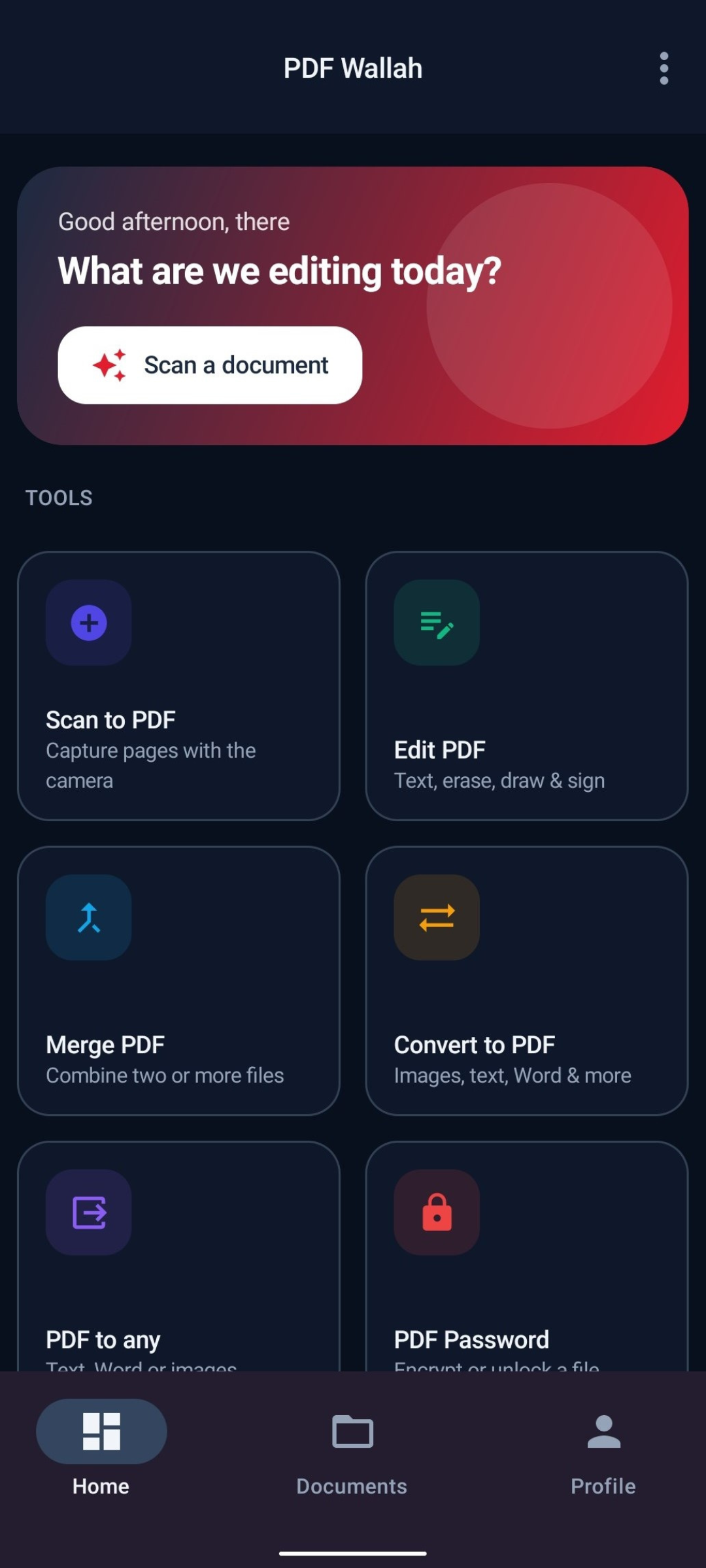
Seven tools
Each tool does one job and does it on the phone. No queue, no upload, no waiting on a server.
Capture pages with the camera.
Text, erase, draw & sign.
Combine two or more files.
Images, text, Word & more.
Text, Word or images.
Encrypt or unlock a file.
Shrink to a size you pick.
Compression rasterizes pages. Office files convert text, not layout. Spreadsheets are not supported. It is all written down.
On-device by design
Every scan, edit, conversion and password is handled locally. Two things touch the internet: the Upcoming Apps list and the ad network. Neither one sees your files.
Install and use it. There is nothing to register and no profile on our side, because there is no server holding one.
File names, contents and page counts stay on the device. The ad network never receives any of it.
Scanning, editing, converting, compressing and passwords all work offline. Saving works offline too.
A look inside
Six of the ten screens. Select any shot to see it larger.
Swipe to see more
Dashboard with every tool one tap away
Editing a document’s real text layer
Setting AES encryption on a PDF
Converting images and Office files to PDF
Compressing to a target file size
Saved documents with size and date
Common questions
A scan is a photograph of a page, so there is no text layer to edit — the words are pixels. Use Erase to cover the old wording, then Add text to type over it. PDFs made on a computer usually do have a text layer, and those are fully editable.
Compression turns each page into an image and lowers its quality, which is what makes a specific target size achievable. Softer text is the trade-off. Choose a larger target or the Light preset for sharper results.
Every document feature does — scanning, editing, converting, compressing and passwords all run on the device. Only the Upcoming Apps list and ads need a connection. With no connection the ads simply do not appear and nothing else changes, including saving.
PDF Wallah is finished and in review preparation. It will be free and ad supported, needs Android 7.0 (API 24) or newer, and asks for no account. Questions before launch are welcome.